Monday, March 27, 2017

Google's New Technology Curriculum for Grades 7-12


Google has a new technology curriculum for grades 7-12 classrooms! This course uses instructional videos and creative projects to teach students how to use G Suite applications like Docs, Sheets, and Slides. The curriculum's project-based format allows students to apply their new skills to real, relevant problems. It also grounds students in digital citizenship and encourages them to use technology tools safely and responsibly. Get started here.

Wednesday, March 15, 2017

Google Classroom Now Open to All

Big news, Google Classroom is now open to individuals without G Suite for Education accounts! From the Google blog:

Starting today, these new Classroom users will be able to join existing classes and over the coming weeks, they’ll have the ability to create their own classes as well. Schools interested in using Google Classroom should still sign up for G Suite for Education.

This update gives schools more flexibility in how they collaborate with other organizations and students: For example, student teachers or visiting students can now easily integrate into their host school or university’s Classroom set-up.


Wednesday, March 1, 2017

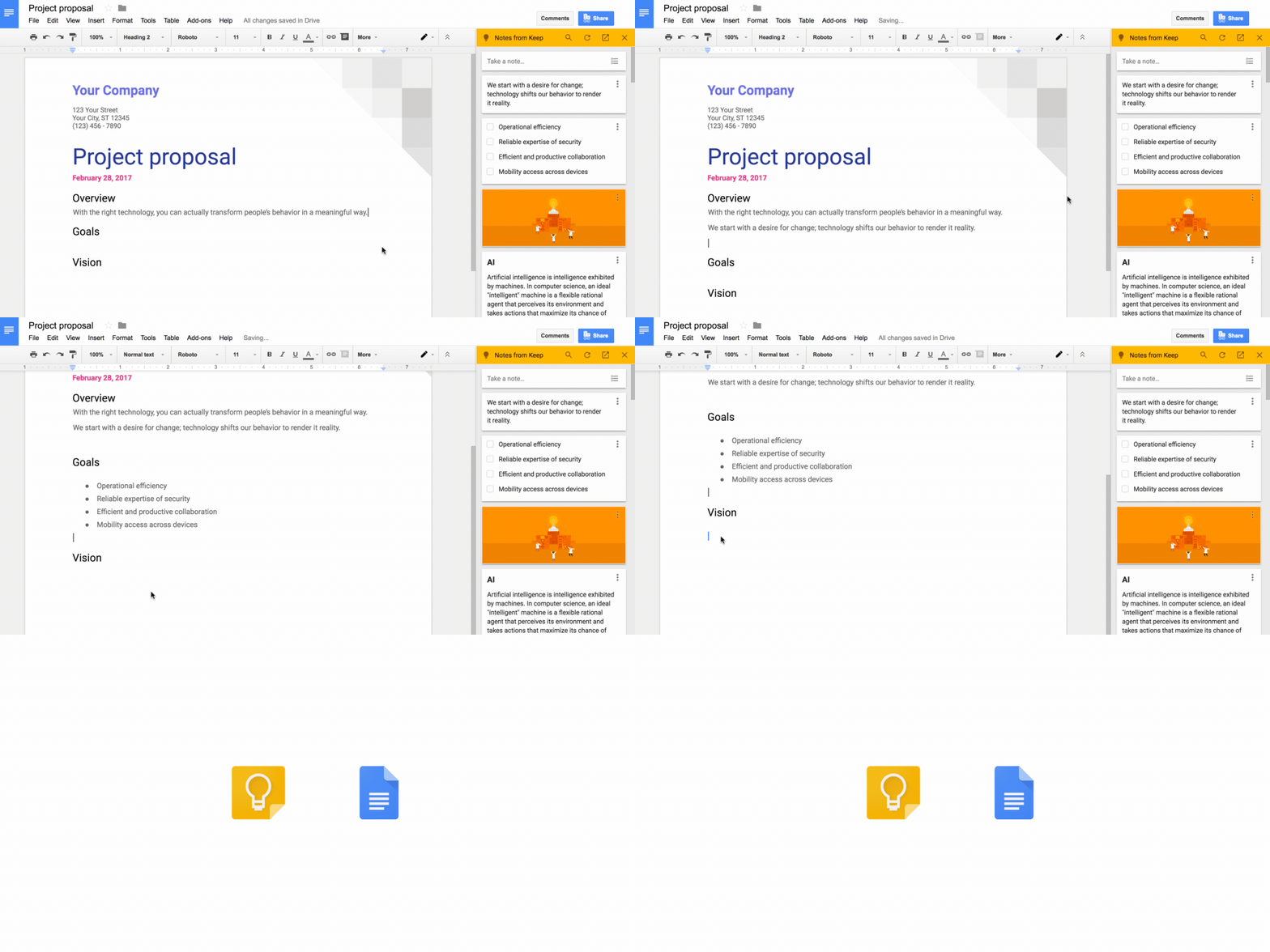
Google Keep moves to G Suite

You can now take your ideas and notes from Keep and easily add them to Google Docs for easier brainstorming. Read more about Google Keep moving to G Suite here.


Friday, February 10, 2017

Google Apps/G Suite Update: Insert Videos from Google Drive in Google Slides

Great news! You can insert and play your Google Drive videos in Google Slides, in addition to videos from YouTube. This feature has already hit commercial Google accounts and will be rolling out to our apps4pps domain soon. Get more information here.


Tuesday, November 22, 2016

The New Google Sites is Now Live!

screen-shot-2016-11-21-at-3-59-45-pm

The long-awaited new Google Sites is now live in the apps4pps domain. The new editor has an easy-to-use interface and attractive design and integration with G Suite apps. You can read more information about the new Google Sites here.
From Google support:
Migration tools to transition your classic sites will be released in 2017.  Both classic and new Sites will continue to be supported during this time. Timelines and instructions regarding the gradual depreciation of classic Sites will be released in 2018. The specific depreciation date will be announced at least one year in advance.
Until the recommended migration tools are released, you can migrate an existing classic site using the following methods:
  • Rebuild your site using new Sites.
  • Copy and paste content from classic Sites to new Sites.
  • Add a banner to your classic site redirecting people to the new site URL.
New Google Sites learning resources:

Thursday, August 18, 2016

Google Apps Updates

Some recent Google news:
  • Parents and guardians stay informed with Google Classroom email summaries
  • Annotations help students color outside the lines — and the classroom
  • More Expeditions thousands of miles away or inside the human body
  • More Google for Education features for busy teachers and curious minds
New Google Drive search feature makes for easier filtering to find your stuff (hasn't hit the apps4pps domain yet)
google drive